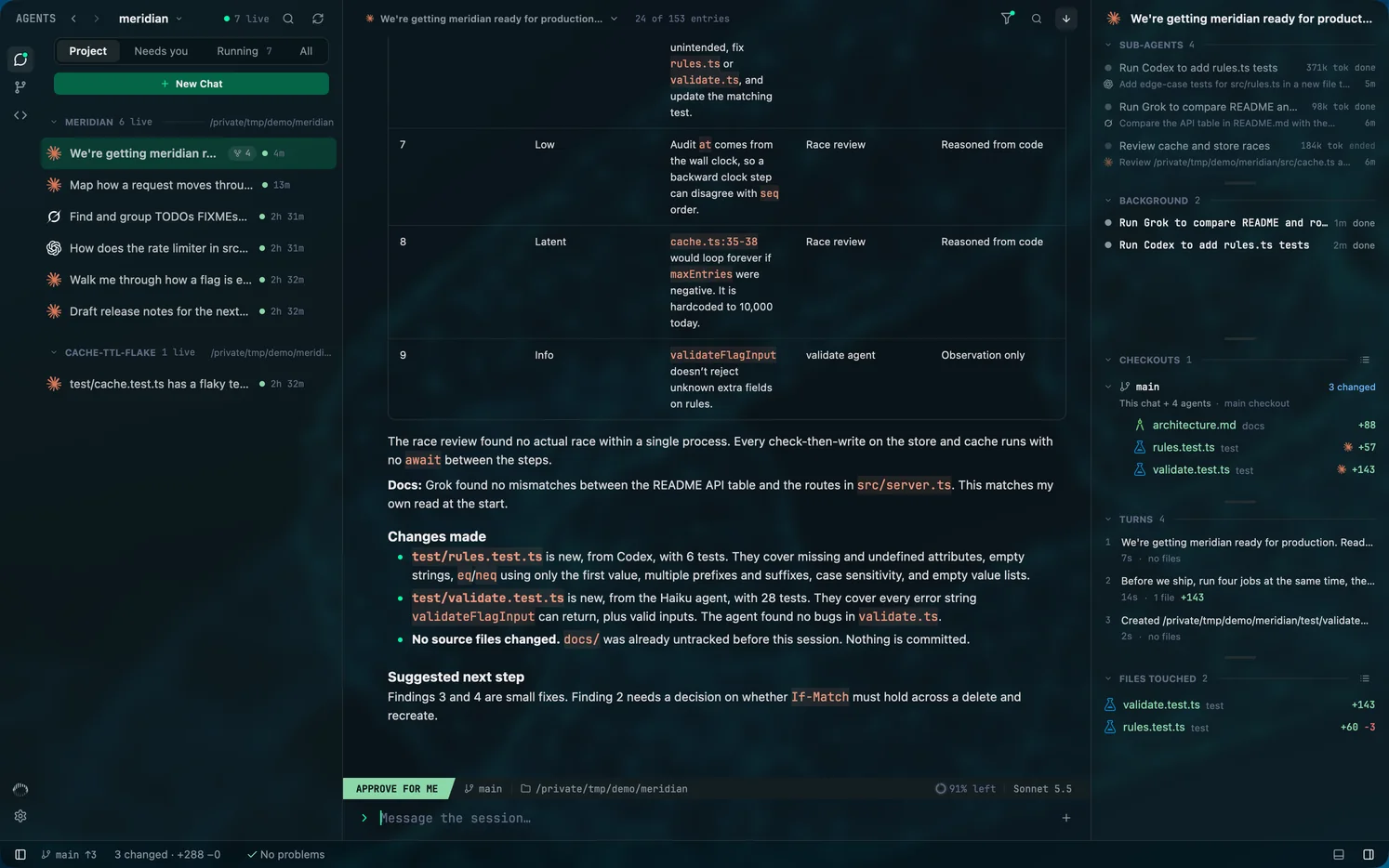
How Mentat follows sessions you start in a terminal
Mentat reads the records each command-line tool already keeps, as they are written. A session you start with claude, codex or grok in any terminal appears in its project without installing anything into the tool, and Mentat never writes to a session it is only watching.
Checked against Mentat's code on .
What Mentat reads
| Tool | What Mentat reads |
|---|---|
| Claude Code | Its transcripts under ~/.claude/projects, and its registry of running sessions. |
| Codex | Codex's own app-server is asked for the list of threads and their history. Mentat does not open Codex's databases. |
| Grok Build | Its session files under ~/.grok/sessions. Viewing a session never loads it into Grok or writes to it. |
How quickly a session appears
Mentat watches the folders the tools write to. A change prompts a rescan, at most once a second while Agents is on screen and once every five seconds while it is hidden. A change to a chat that is open in a pane is read at once.
A log that a tool is still writing is checked for growth every 250 milliseconds while it is shown. A full rescan also runs every 30 seconds; Settings, Agents, Sessions, Full rescan changes that to 10 seconds, 1 minute or 5 minutes.
How status is decided
A session is working, idle, waiting on you, needs approval, or ended. It counts as live while a process holds it. A session no process holds stays idle, or waiting if it had asked you something, until the idle window passes; then it is ended. The window is 48 hours by default and can be set from 4 hours to 7 days.
For a session running in a terminal, needs approval is shown for Claude Code only. Codex does not record a pending approval anywhere another app can read it.
The roster
- Four filters: Project, Needs you, Running and All. Running lists every session that has not ended, idle ones included.
- The Filter sessions field matches every word you type against chat names.
- A chat belongs to a project by the exact folder it was started in, not a folder inside it.
- Running and idle sessions always show. Ended ones are listed 30 days back by default; Finished sessions in Settings changes that, from 6 hours to All.
Picking a session up, and going back
Select a session nothing else holds and Mentat's composer takes it over, resuming it the way the tool itself does. While another app holds it, the composer says so: This is open in another app. Close it there to continue here.
Jump to terminal is Enter when focus is not in a text field. In kitty it focuses the session's own window; in iTerm, Terminal, WezTerm, Ghostty, Warp, Hyper, Cursor, Visual Studio Code and a few others it brings the app forward. If no window is found, the resume command is copied instead.
Copy resume command, in the chat's menu, copies the command that reopens the session in a terminal: claude --resume, codex resume or grok --resume with the session's id.
Limits
- A Grok Build session with nothing typed into it is not listed.
- Codex's internal helper threads are hidden unless Guardian agents is turned on in Settings.
- Sub-agents are read-only: they have no composer and can't be renamed.