
The desktop app for Claude Code, Codex and Grok Build Command every agent
Every Claude Code, Codex and Grok Build session in one native window: the agents you start, the agents they start, and exactly what each one changed.
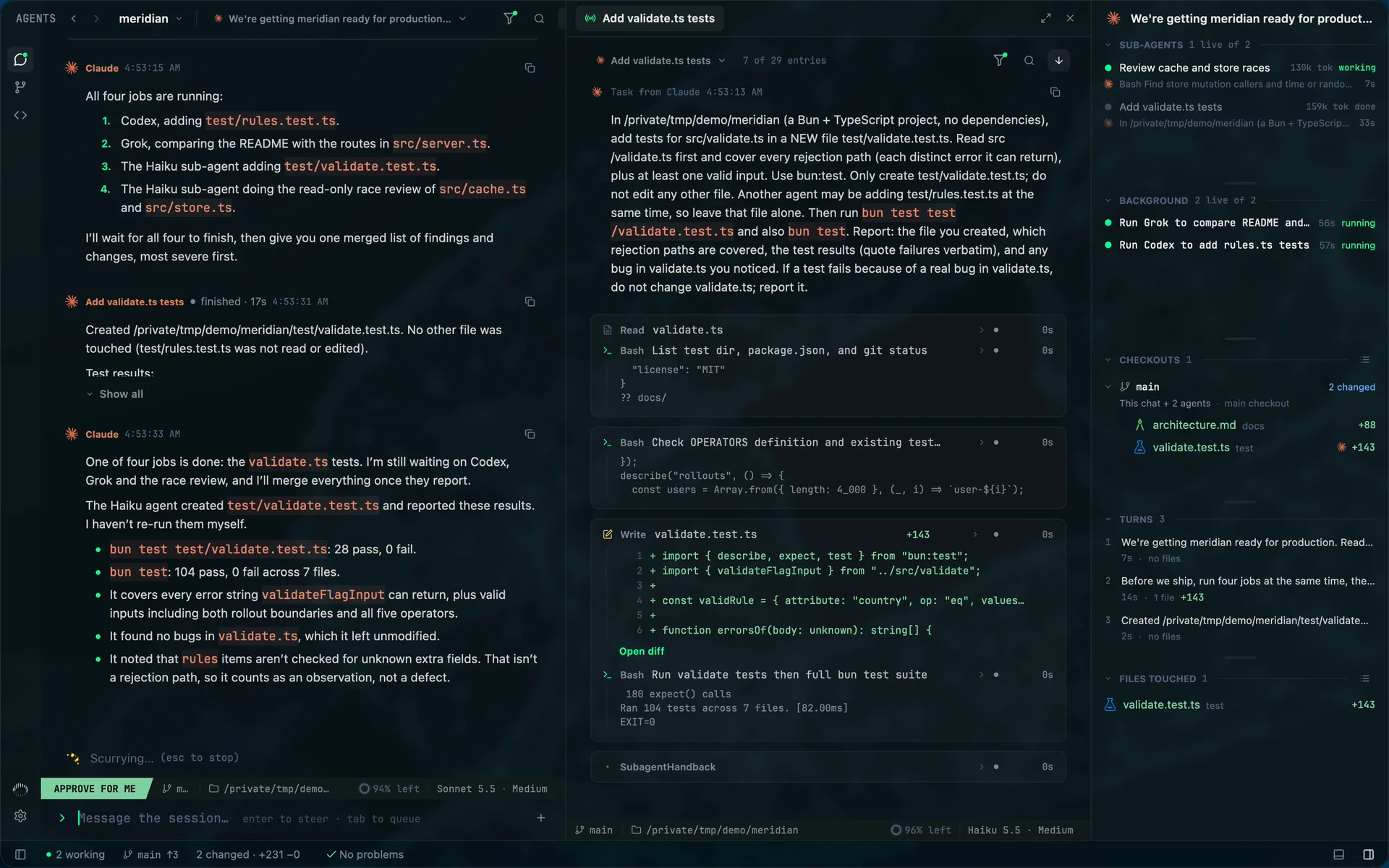
Real footage. A Claude Code lead starts sub-agents, a Codex run and a Grok Build run. Mentat opens each one beside the chat as it works.
Mentat is a native desktop app for running and following AI coding agents, made for software engineers who want to stay close to the code. It drives Claude Code, Codex and Grok Build through each tool's own protocol and login, follows the sessions you start in a terminal, shows the tree of agents that agents start, rebuilds exactly what each one changed, and includes a full Git client.

The tree
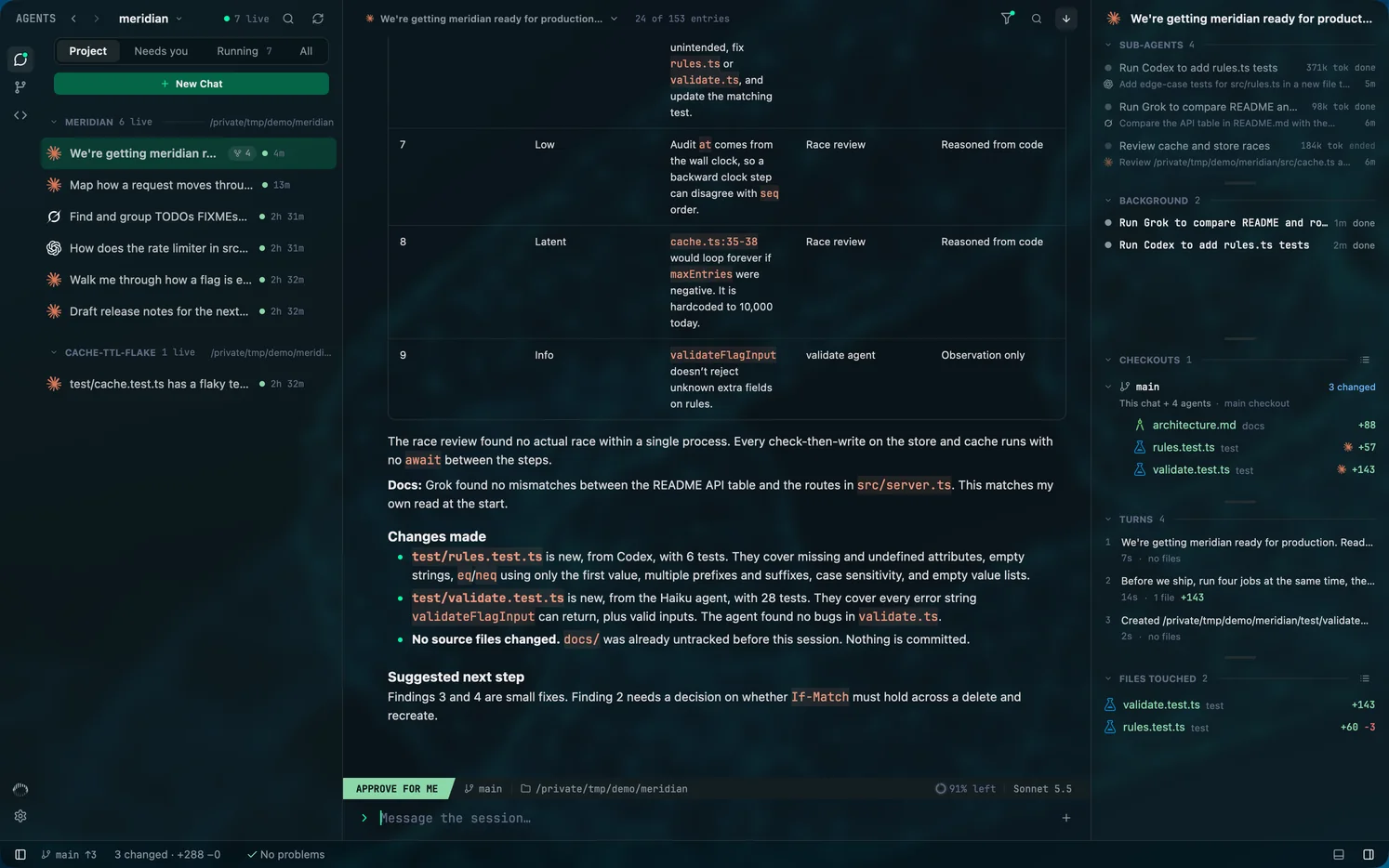
When agents start agents, you see all of them.
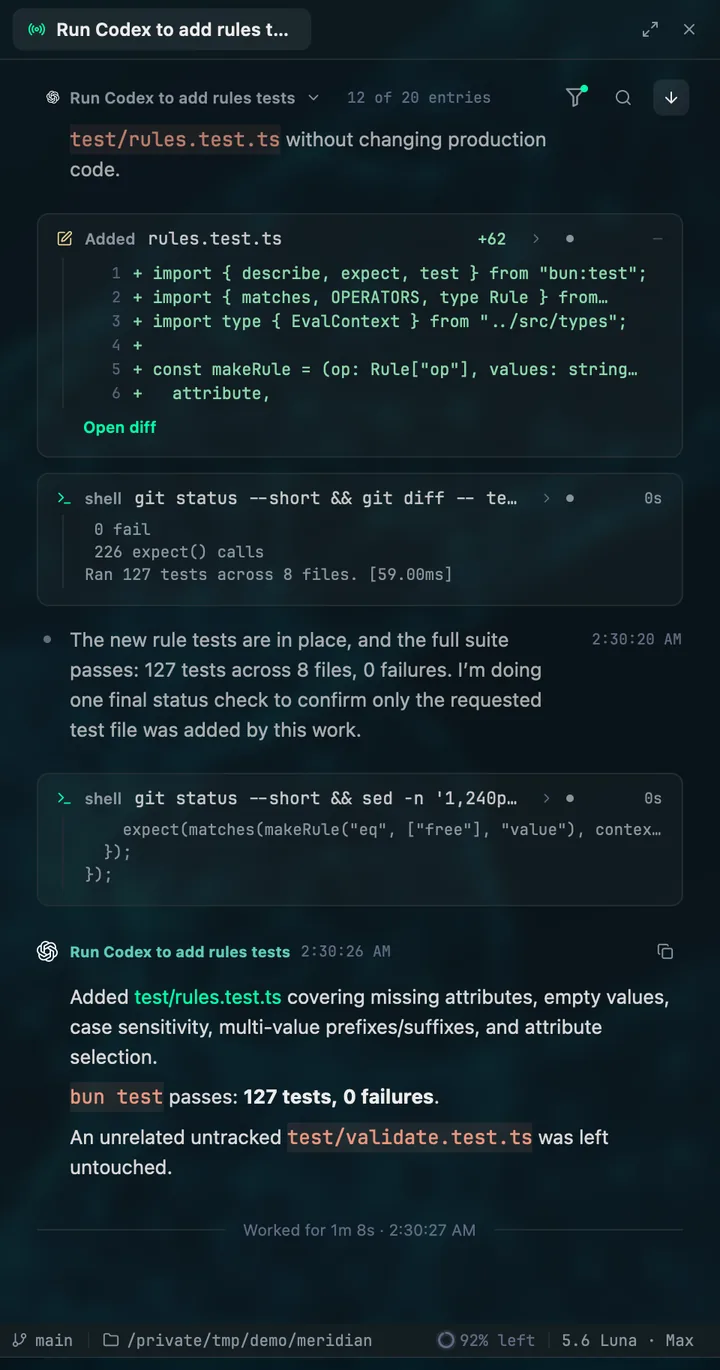
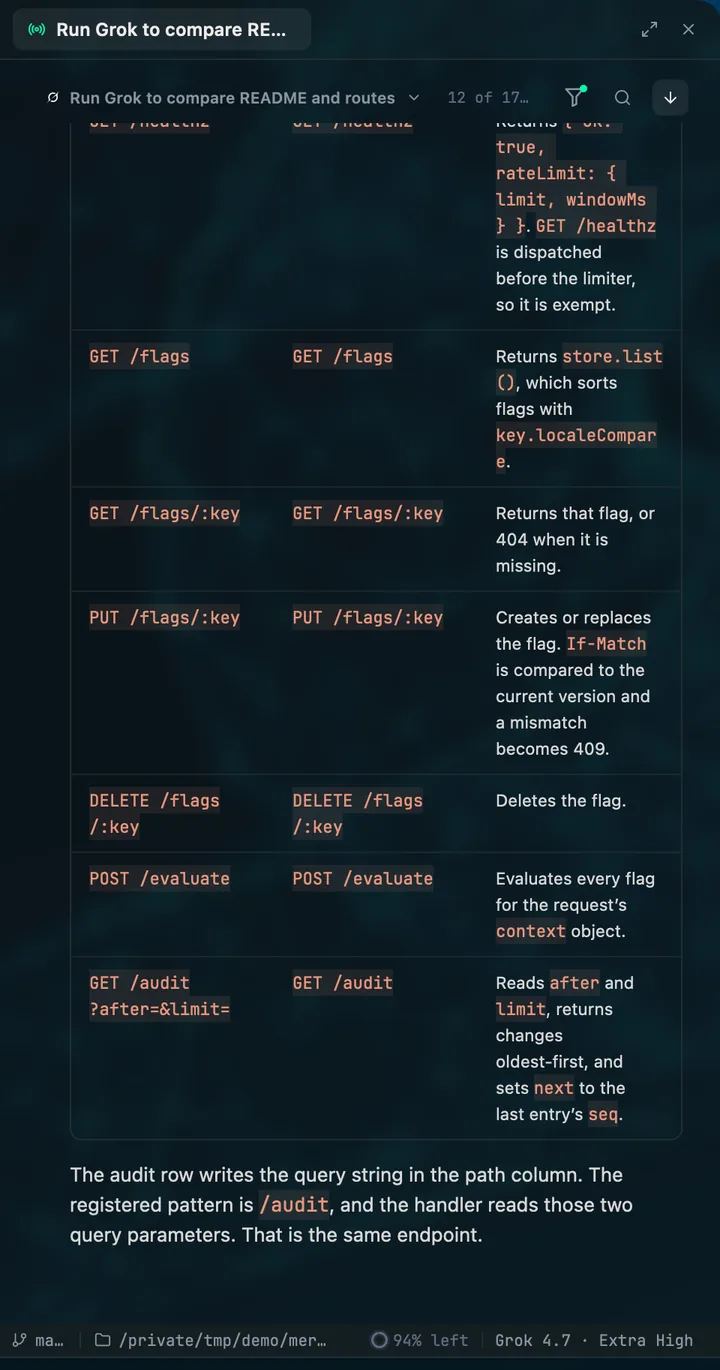
A Claude Code lead spawns sub-agents, then starts Codex and Grok Build from its shell. Mentat nests every one of them under the session that ran it, whichever vendor it belongs to.
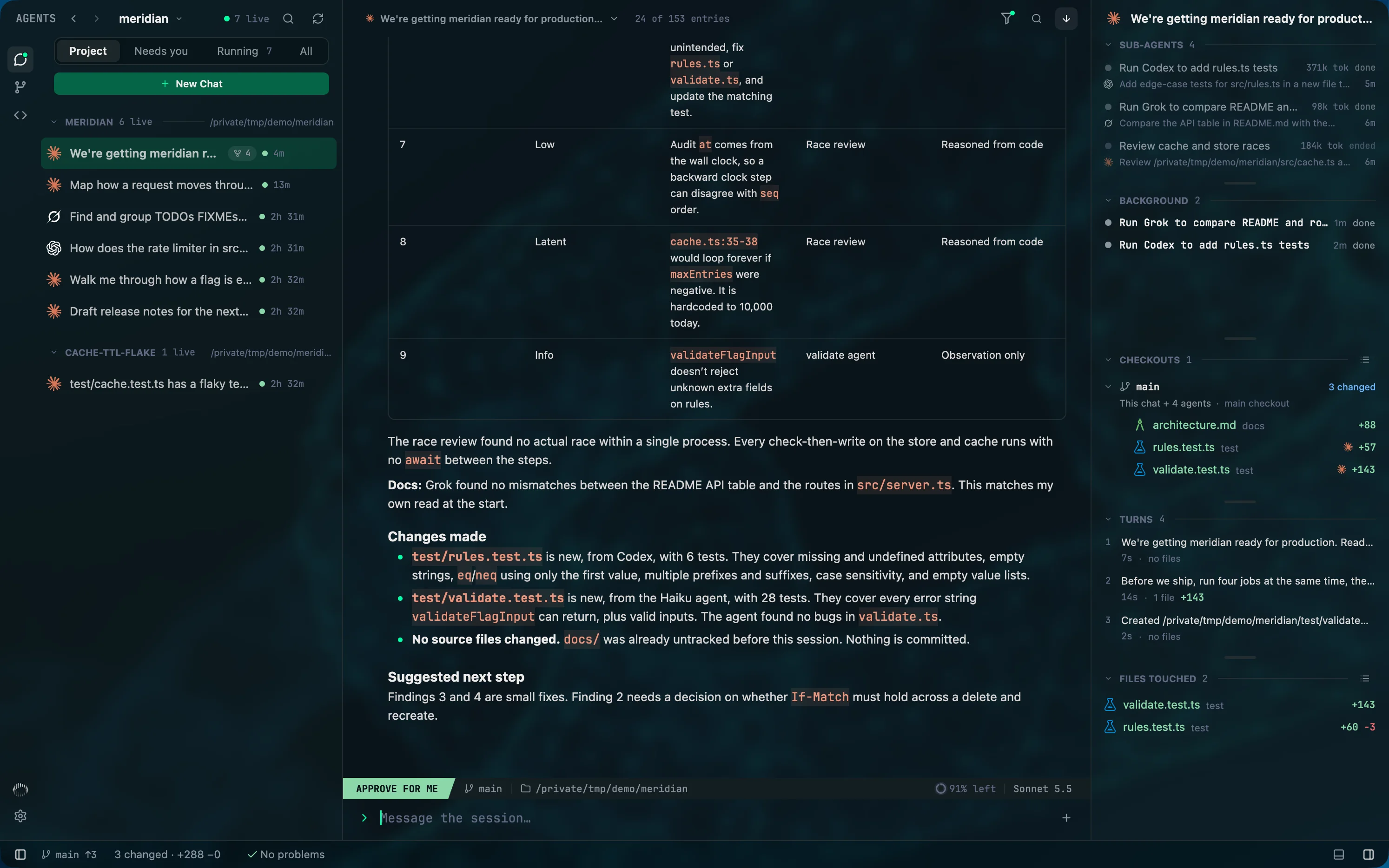
- Sub-agents
- Every agent the chat started, with its task, its token count and whether it is working or done.
- Background
- A run started with claude -p, codex exec or grok -p nests under the session whose shell command launched it.
- Checkouts
- The chat and its agents together: each checkout they worked in, with the lines added and removed.
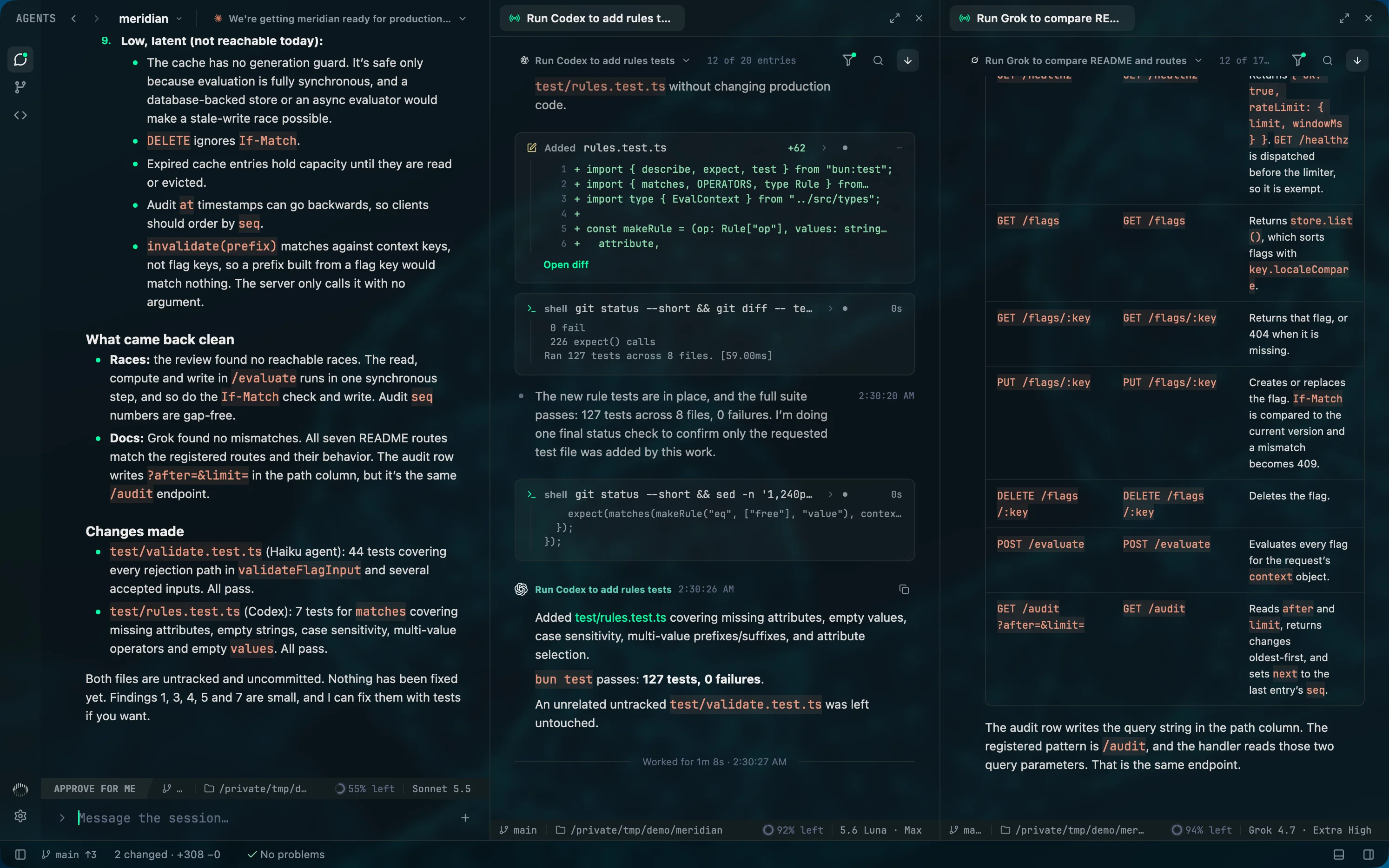
Three vendors, each in its own protocol
Mentat drives each command-line tool the way its maker designed, under the login you already have. It holds no API keys, and a feature a provider lacks is hidden, never imitated.
Next: Google Antigravity
stream-json
Claude Code
claude -p --output-format stream-jsonapp-server
Codex
codex app-serverAgent Client Protocol
Grok Build
grok agent stdio
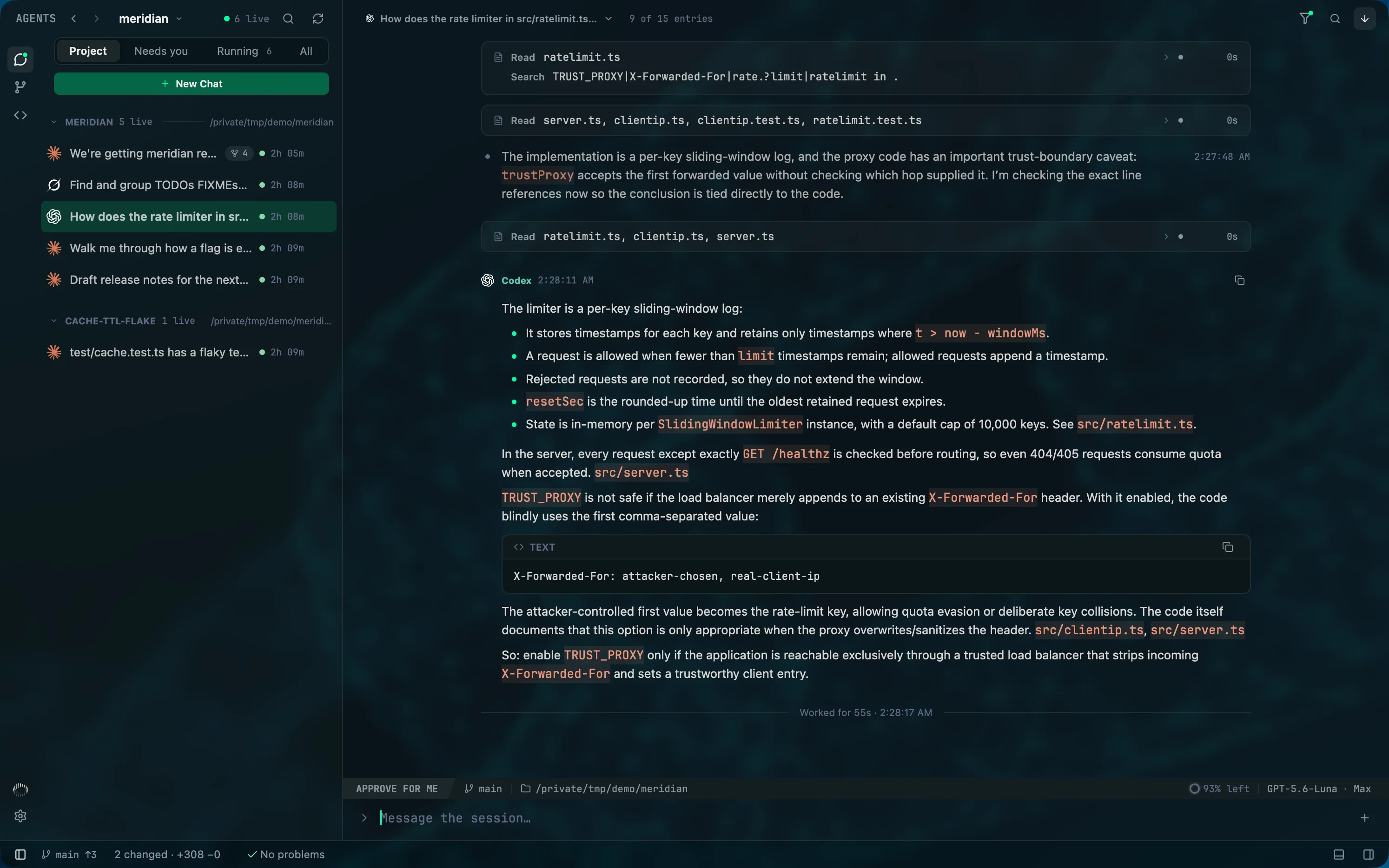
Started in a terminal? It is already here.
Keep launching agents wherever you like. Mentat reads each tool's own session records as they are written, so a session you started in a terminal shows up live in its project, with its transcript and the files it touched.
- Filter the roster by Project, Needs you, Running or All.
- Jump back to the session's terminal, or copy its resume command.
- Pick the session up from Mentat when the terminal is done with it.
~/meridian $ claude
~/meridian $ codex
~/meridian $ grok

The record
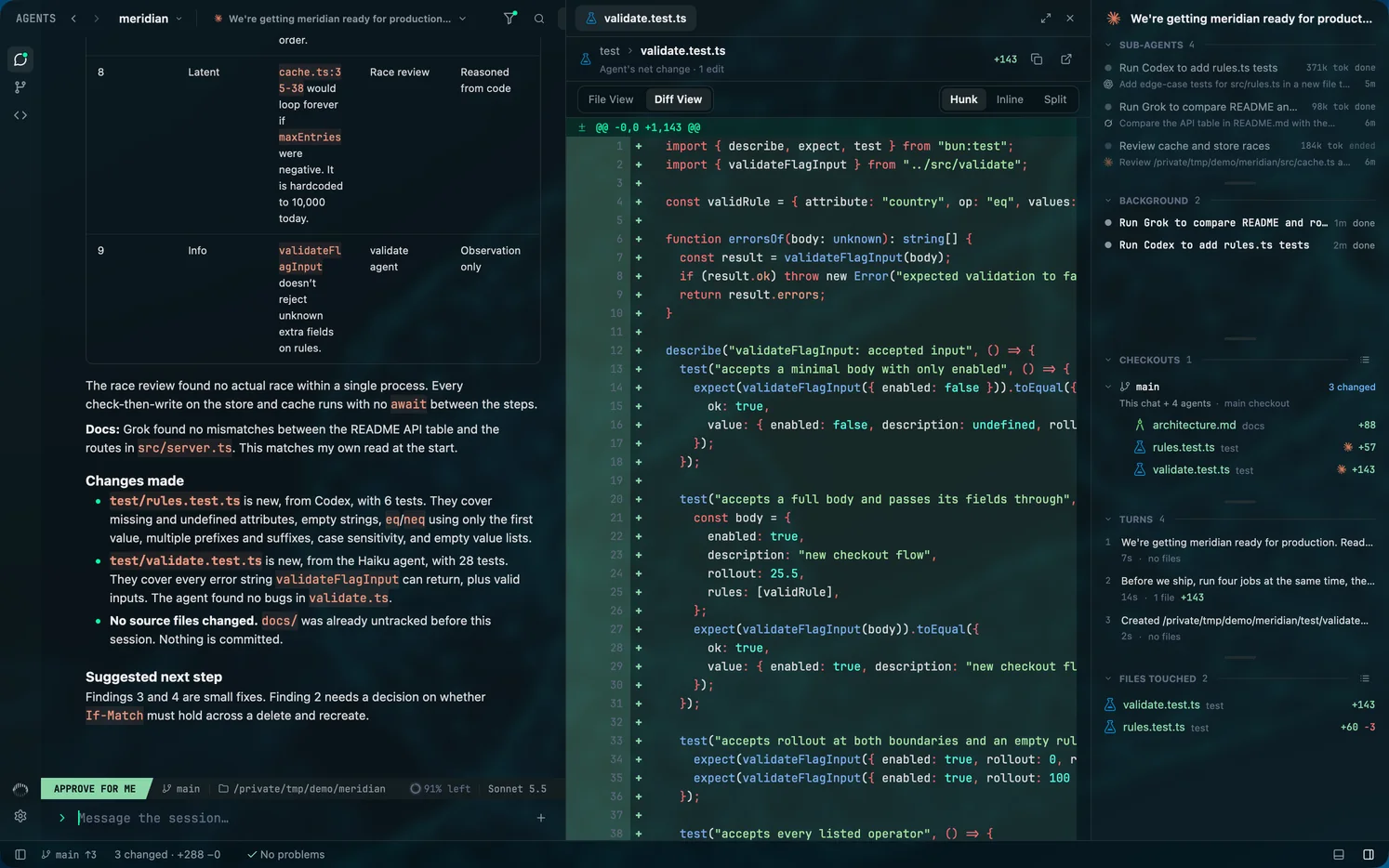
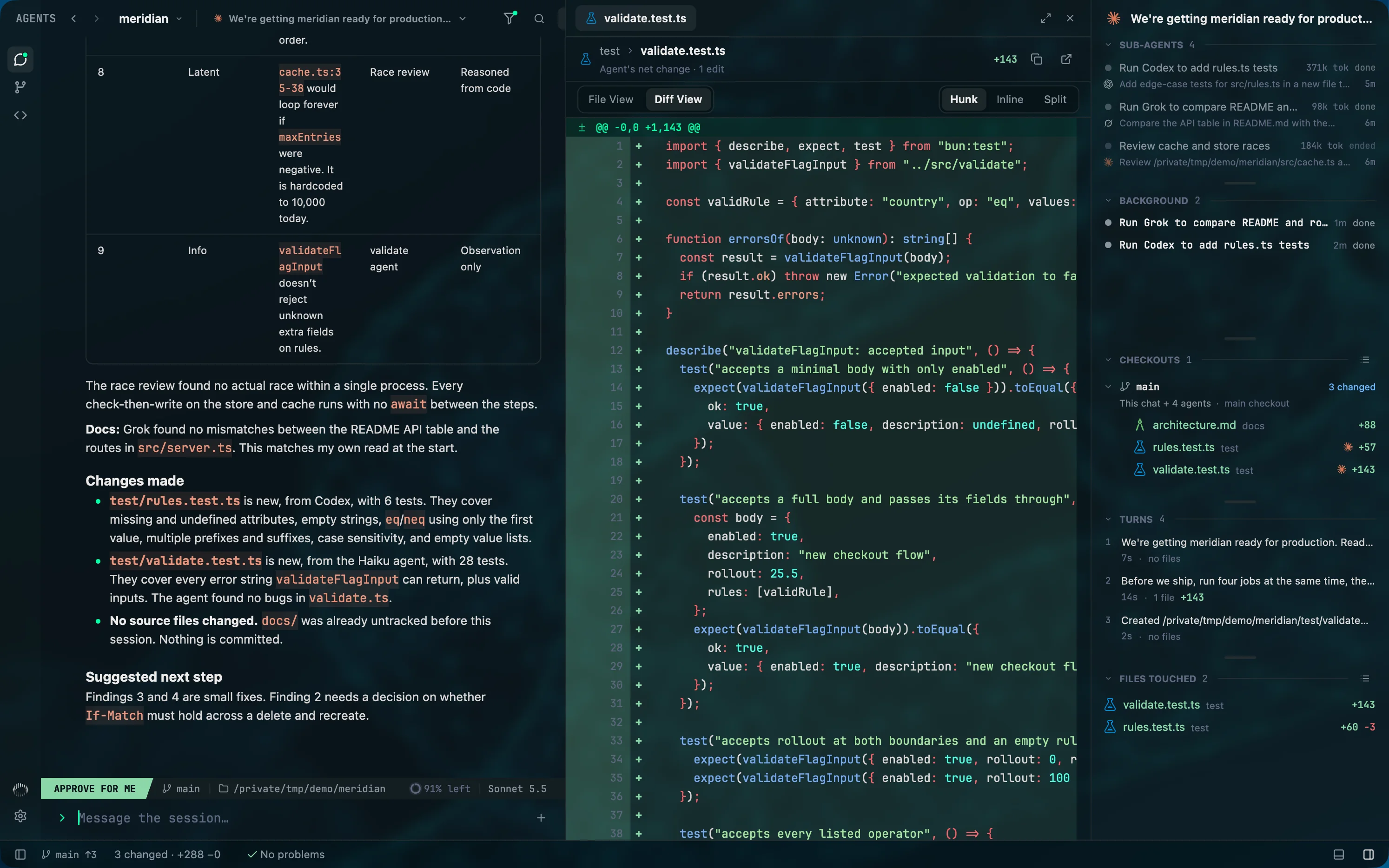
Every edit, on the record.
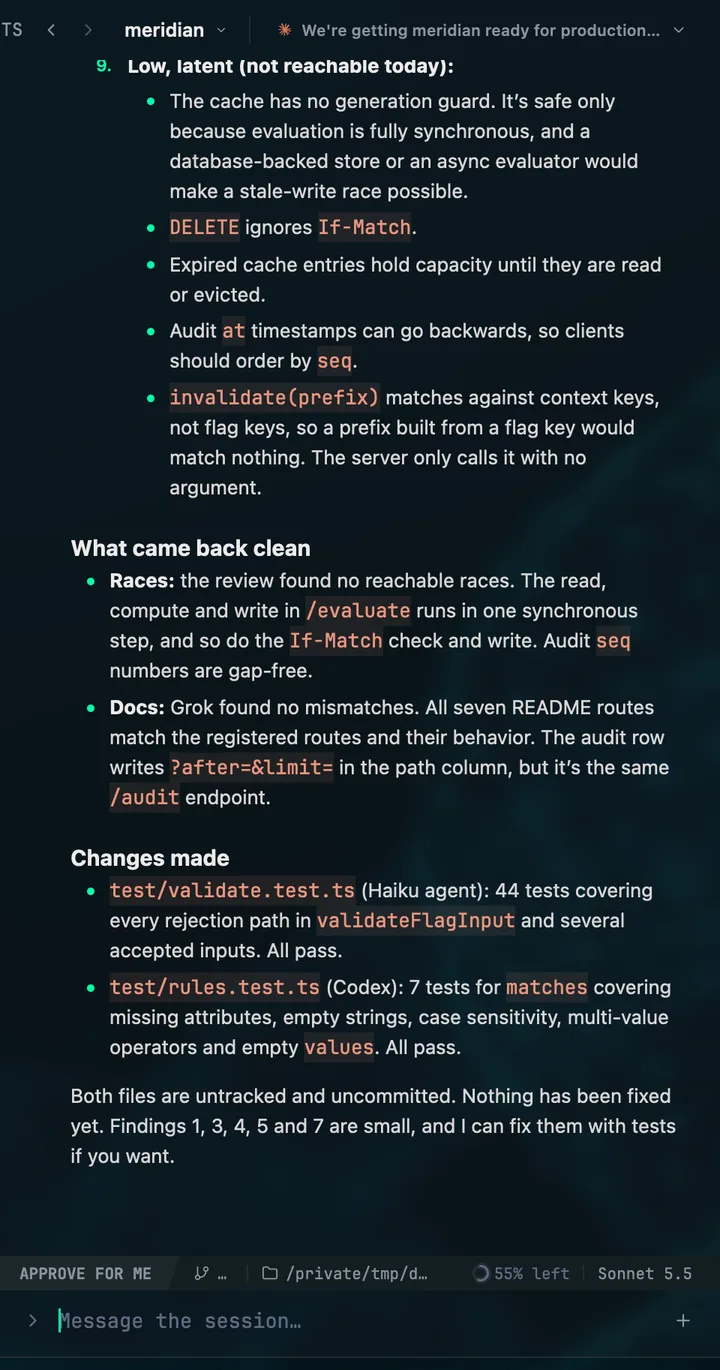
Mentat rebuilds each diff from the agent's own edits, not from git diff. Two agents working in one checkout stay apart, and you read exactly what each one did.
- Files touched
- Every file the chat and the agents it started changed, each with its own diff.
- Turns
- What changed in each turn, so you can see which request did what.
- Hunk, Inline or Split
- Read the agent's net change the way you read any diff.
The command
Many agents. One of you.
Once agents start agents, you are the scarce part. Mentat keeps three things within reach: which agent you mean, which one is waiting on you, and how much of each plan is left.
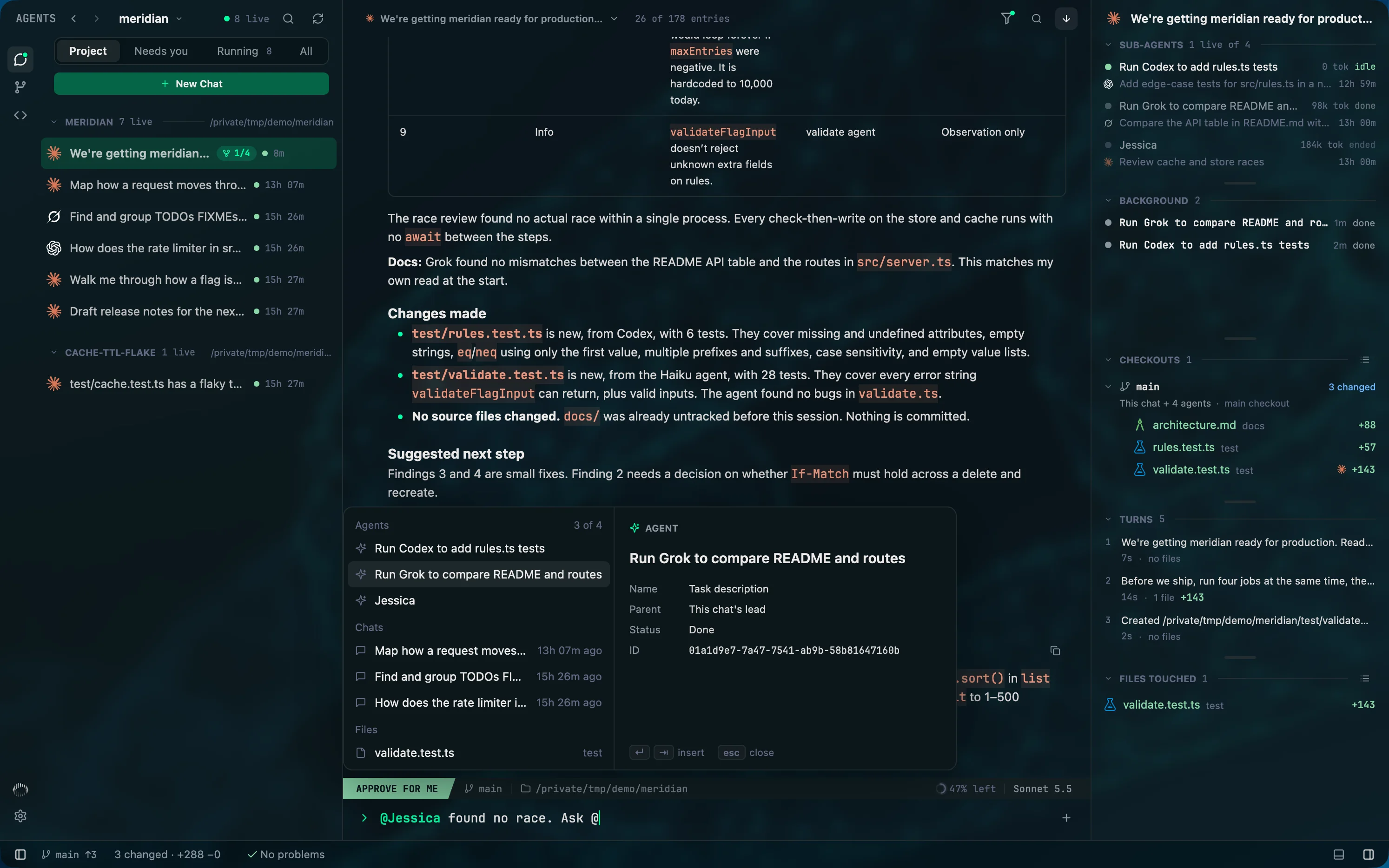
Say who you mean
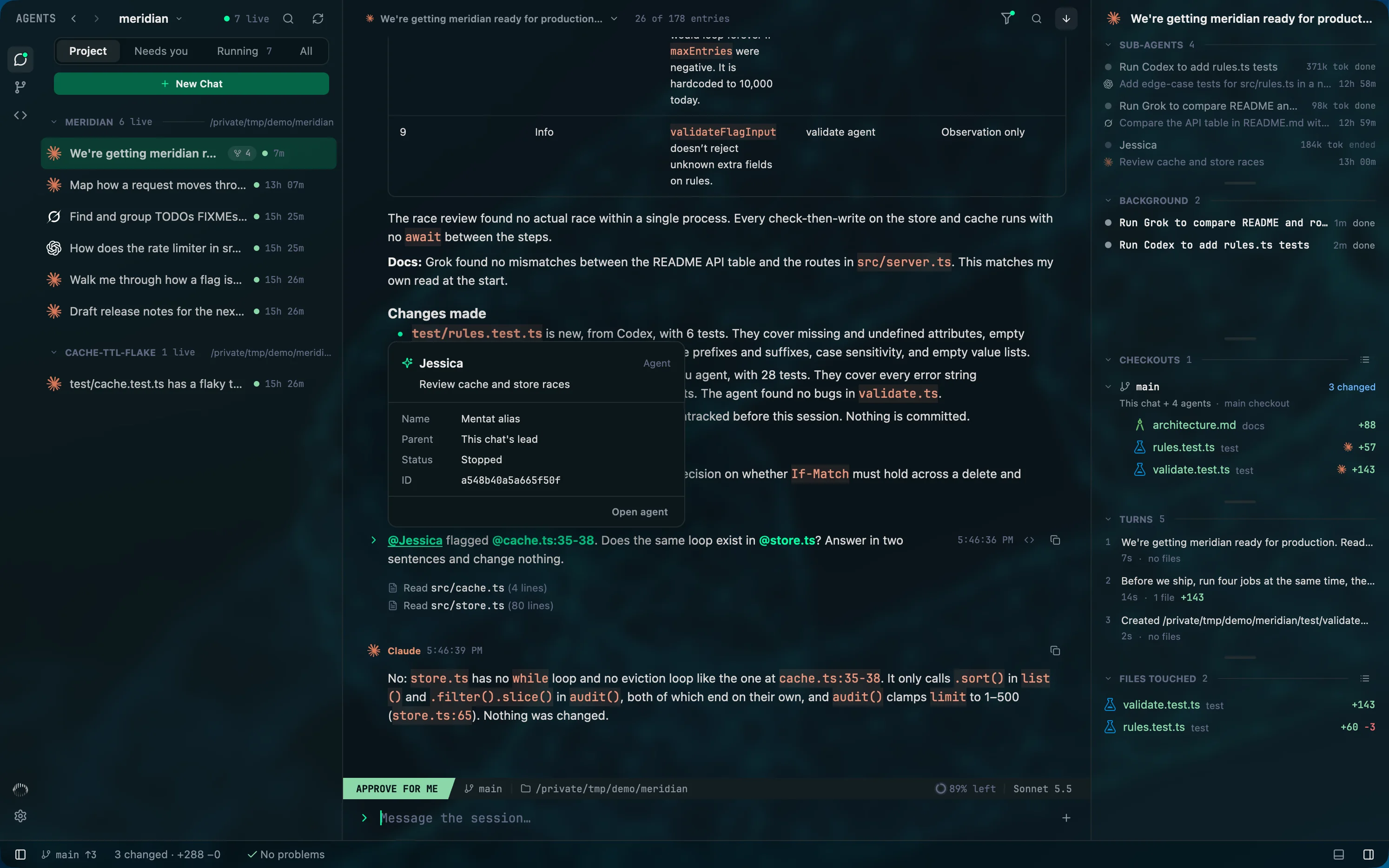
Mentat gives each sub-agent a name, and an @ in any prompt points at an agent, another chat or a file, in Claude Code, Codex and Grok Build alike.
- Type @ and pick from the chat's agents, other chats and files. The agent you are writing to is told exactly which one you mean.
- A file can carry its lines: @cache.ts:35-38.
- A sent mention stays live. Point at it for its card; click it to open what it names.
See who is waiting
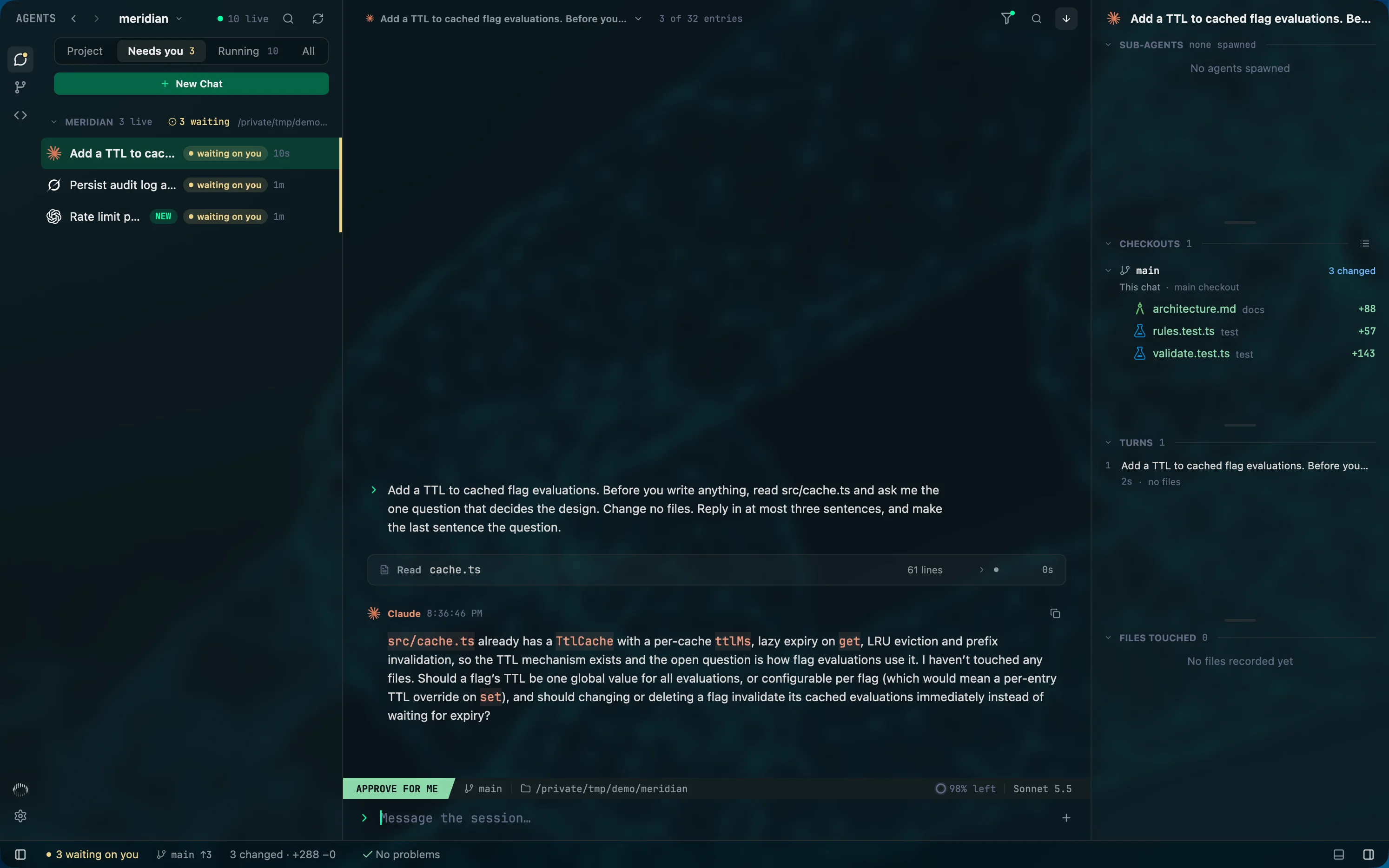
An agent that stops on a question does nothing until you notice. The Needs you tab gathers every chat in the project that is waiting on an answer or an approval, whichever tool it runs on.
- A count on the tab and in the status bar.
- A sub-agent that is waiting brings its chat into the list.
- Turn on system notifications or sounds for three events: needs you, agent error, agent stopped.
Know what is left
Running many agents means running into limits. The Capacity meter shows what each tool has left, for every login you have saved, side by side.
- The windows each tool reports, five-hour, weekly and per model, each with the time until it resets.
- Open a tool for its dials and a month of activity.
- Keep a login for each account and switch between them in Settings. Your chats carry on.
Coming soon: switch logins automatically when a limit is hit.
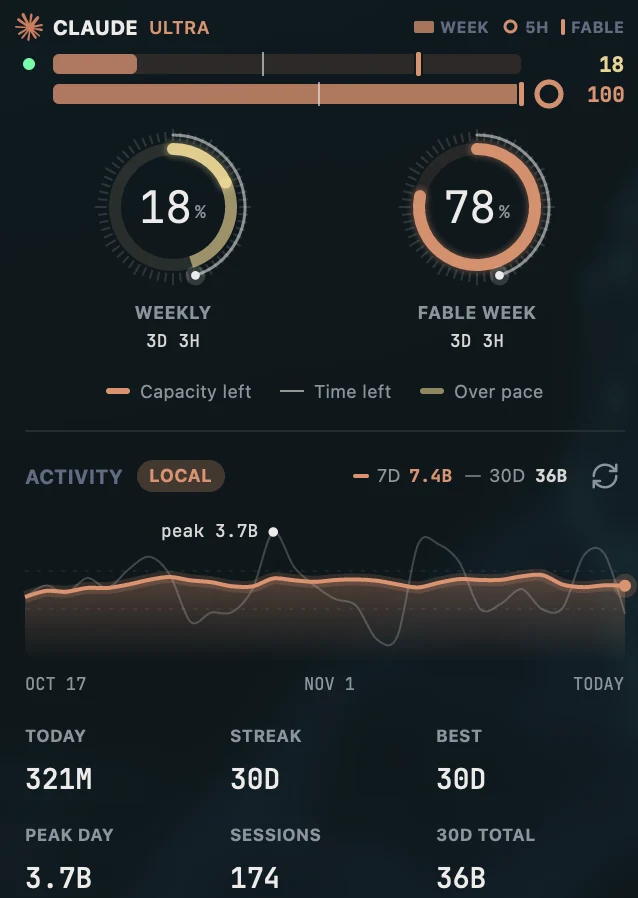
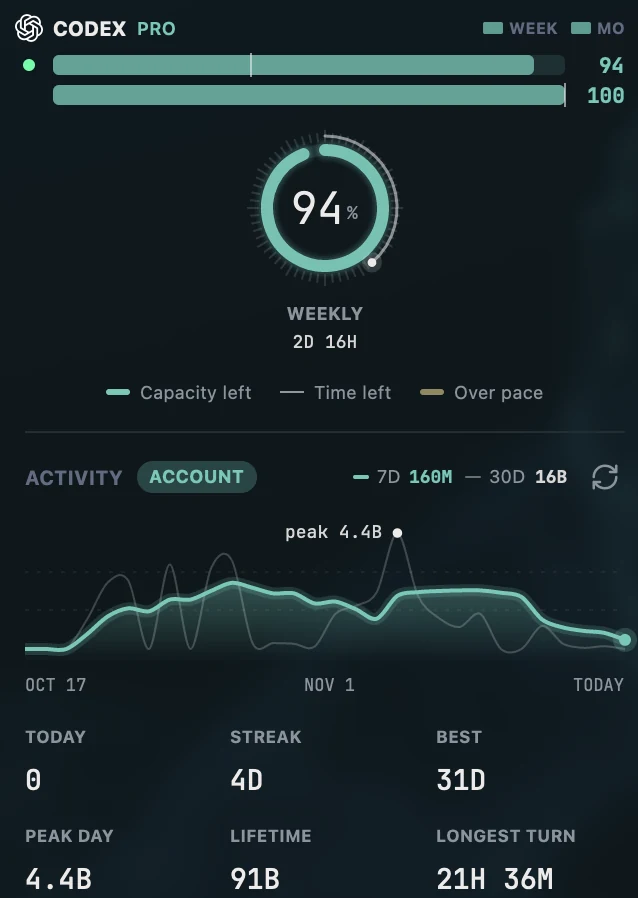
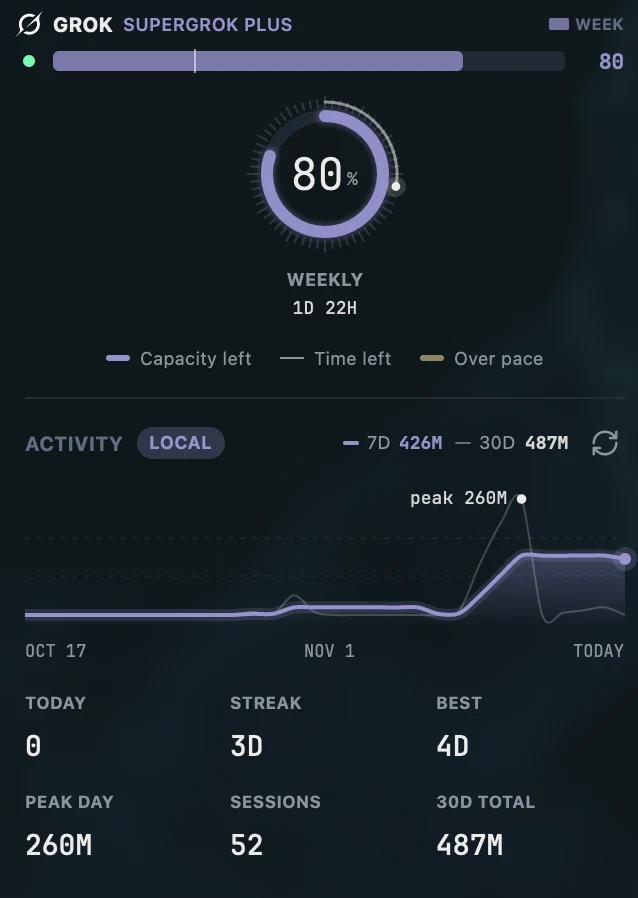
Everything each tool's own terminal does is here too: steer a running turn, queue the next message, switch permission modes, review a plan, and answer approvals in the tool's own words.

The history
A full Git client, beside the agents.
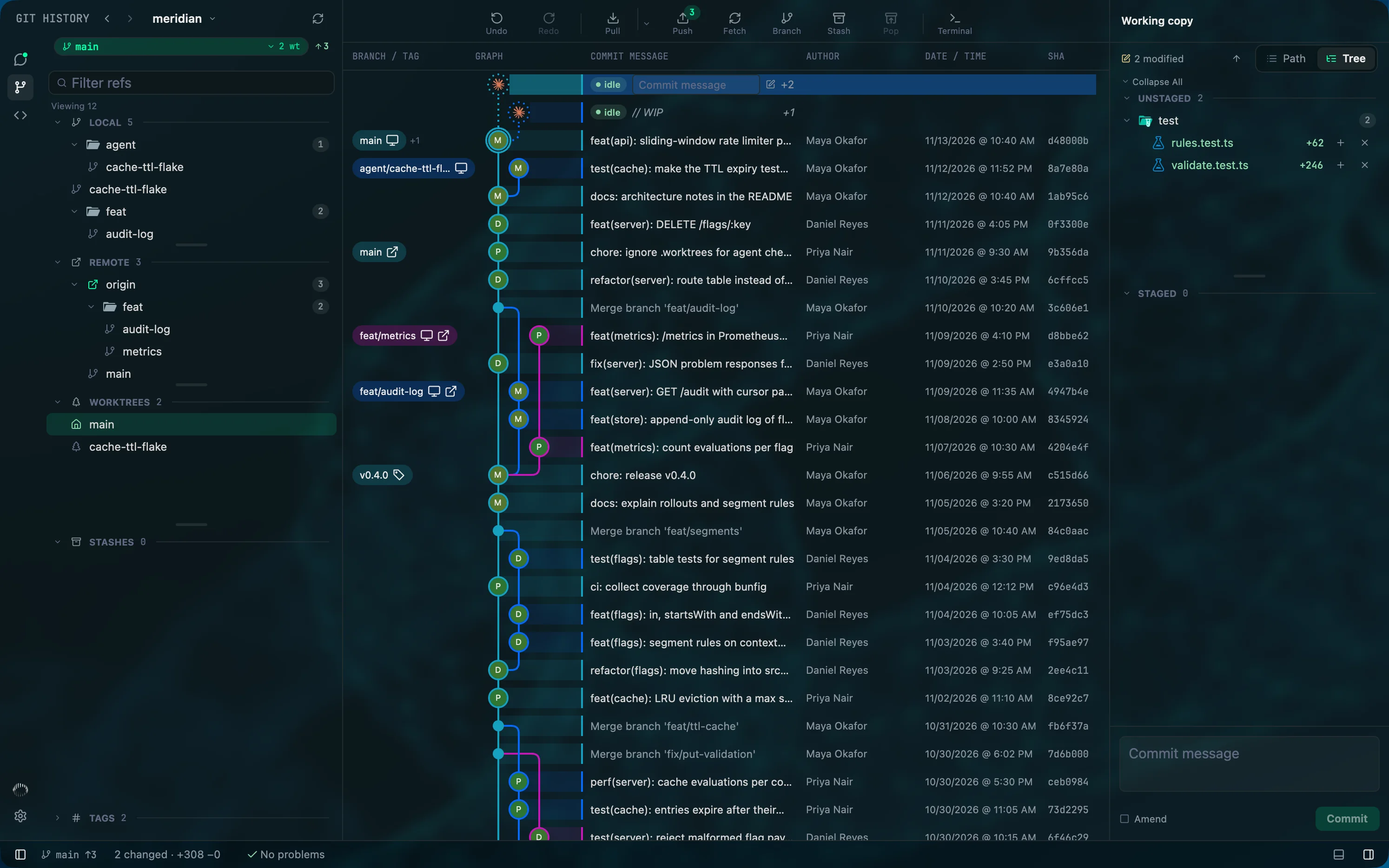
Agents write the code. You still decide what ships. Review, stage, rewrite and undo without leaving the window the agents work in.
46,000commits walked in about 750 ms and laid out in about 16 ms.
- Graph
- Every branch, remote, tag and worktree in one commit graph.
- Stage
- By file, by hunk or by line.
- Rebase
- Interactive: pick, reword, squash, fixup, drop.
- Conflicts
- Resolve in place: ours, theirs or both.
- Undo
- Undo and redo Git actions, backed by the reflog.
- Worktrees
- Create and manage them, with stashes, tags and blame.
Arrange it your way
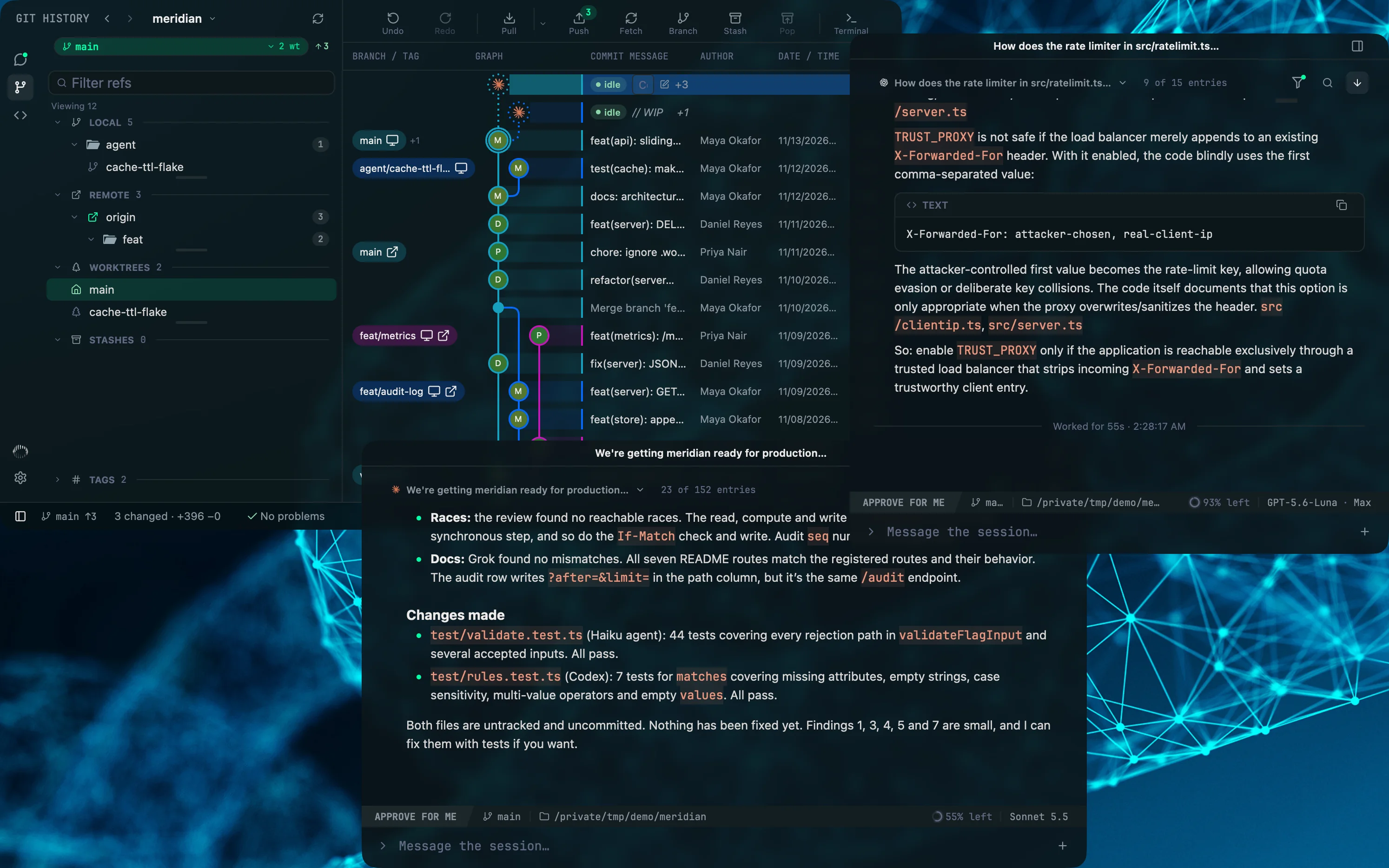
One window is rarely enough. Pull a chat out into a window of its own, keep the Git graph open beside it, and put each on the screen it belongs on. Every window keeps its own layout and comes back where you left it.
- Detach
- Any chat becomes its own window, with its composer, its model and its agents.
- Split
- Open a chat's agents and files in panes, in columns or rows, and maximize the one you are reading.
- Restore
- Each window remembers its project, its mode and its panels, and reopens that way.
Read what agents write
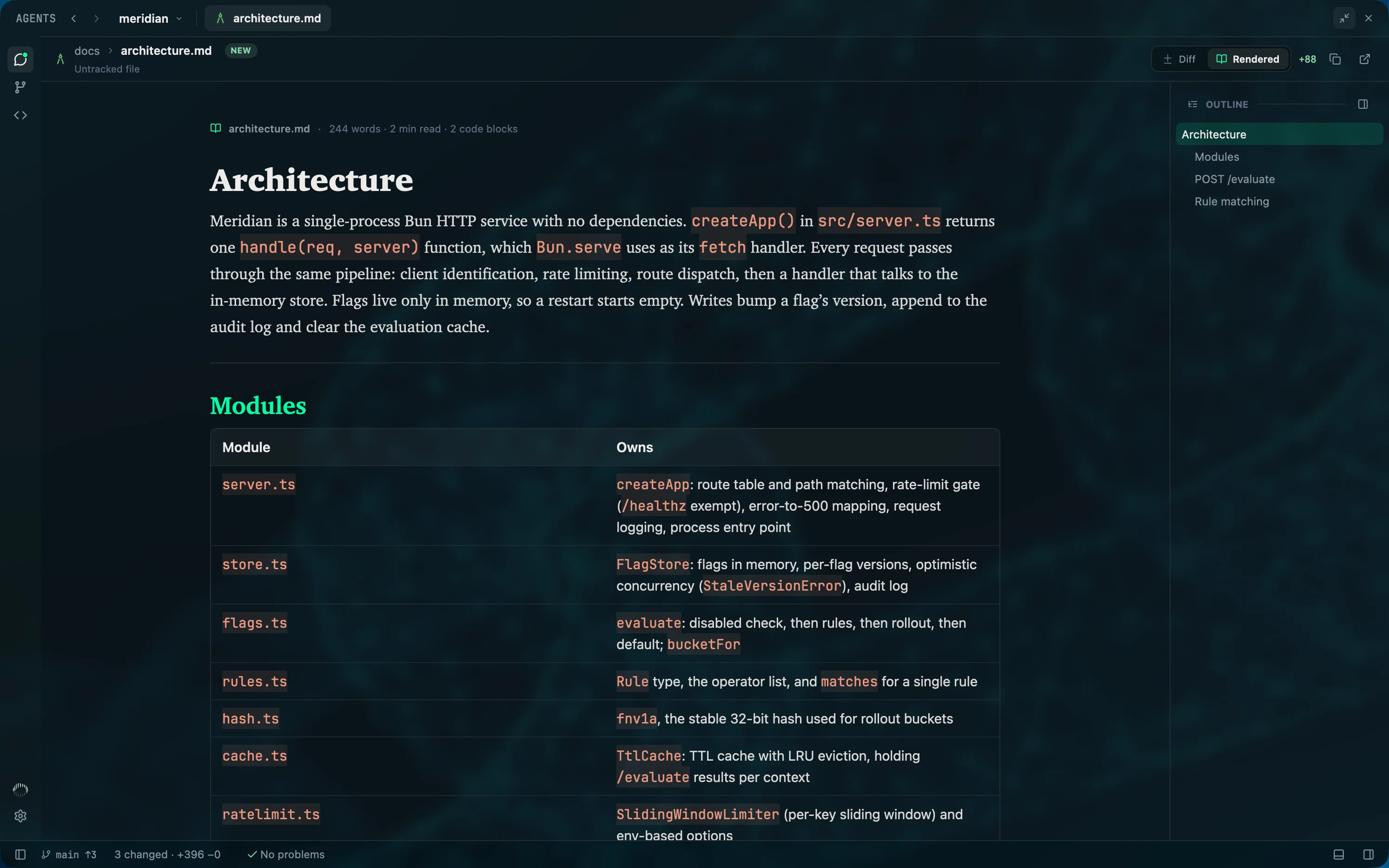
Agents write plans, notes and docs in Markdown. Open any of them rendered, in a reader made for long documents, and switch to the diff when you want to see what changed.
- Tables, task lists, callouts and highlighted code.
- An outline, a word count and a reading time.
- Sections fold. Rendered or Diff, one click apart.
Diagrams, drawn
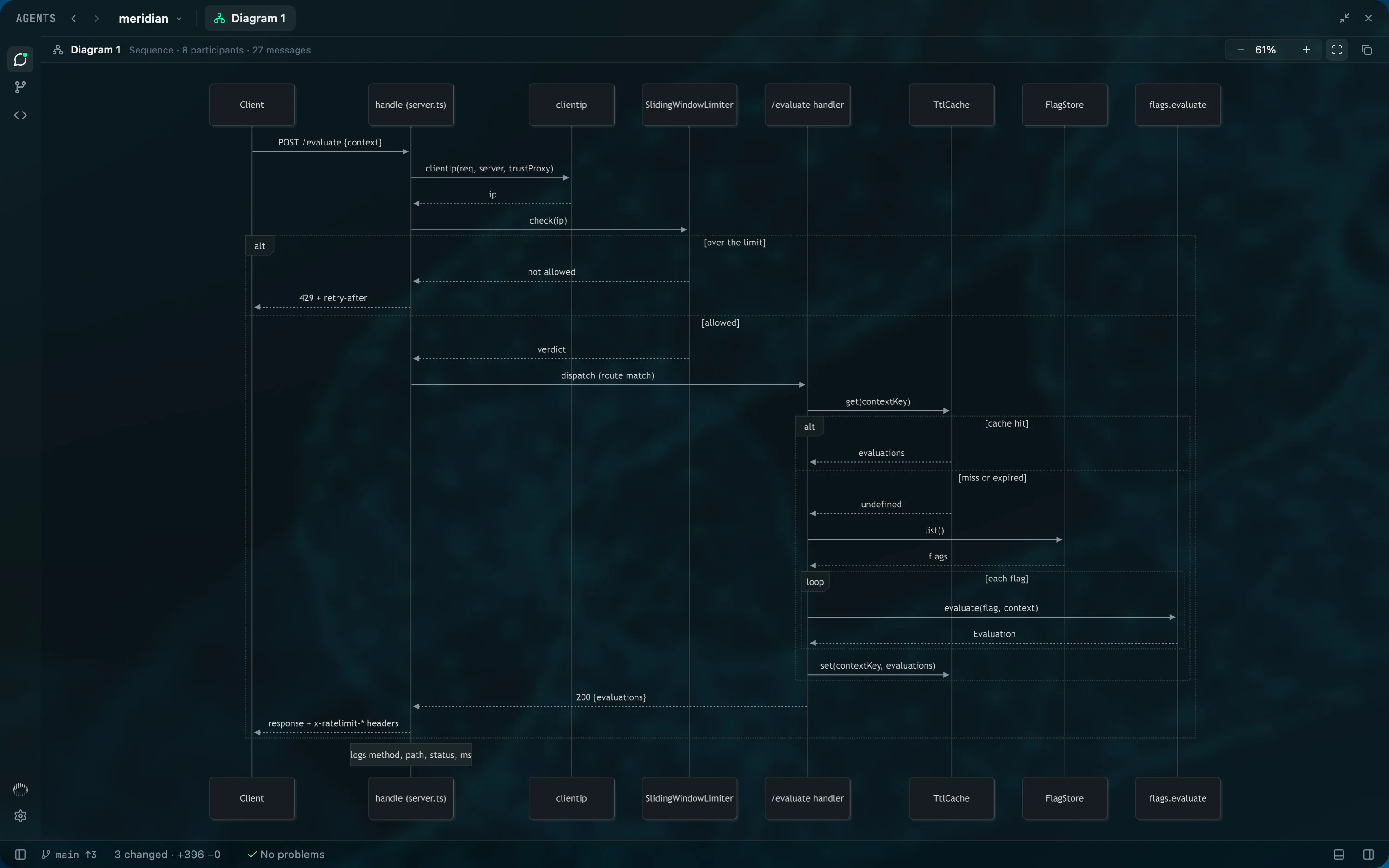
When an agent answers with a Mermaid block, the reply shows a chip instead of a wall of source. Open it and the diagram is drawn natively in a tab beside the chat, where you can zoom it or copy its source.
- Flowchart
- Sequence
- Class
- State
- ER
- Gantt
- Git graph
- Mindmap
An editor, when you need one
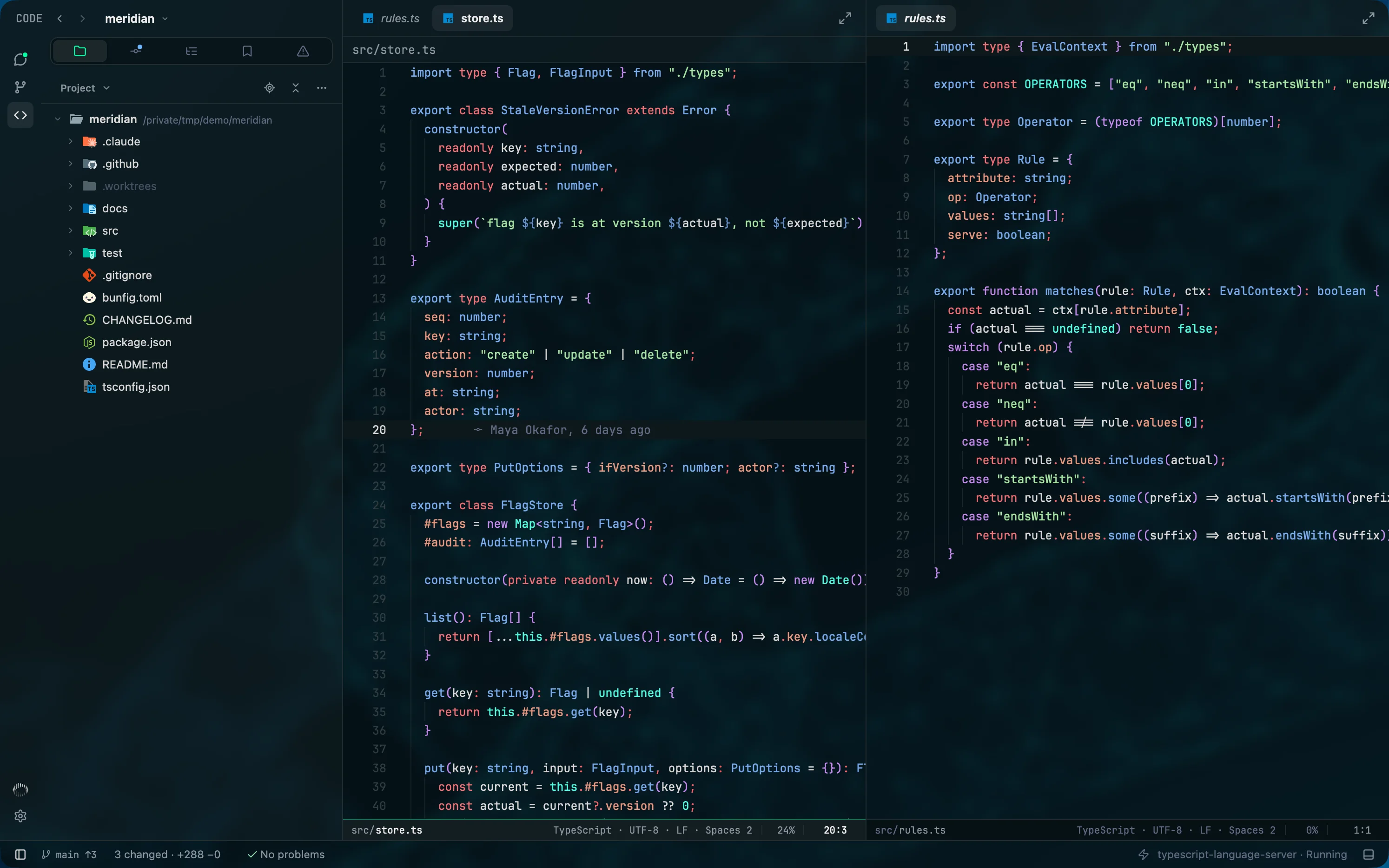
Open the file an agent just changed and fix it yourself. The built-in editor highlights about 25 languages, runs the language servers already on your PATH, and splits into panes.
- Hover, diagnostics, go to definition and rename, from your own language servers.
- Inline blame on the line you are on.
- Vim mode, if you want it.
Make it yours
Pick an app theme and a code theme, or build your own from an accent, a background and a contrast setting. Then decide how much of your desktop shows through.
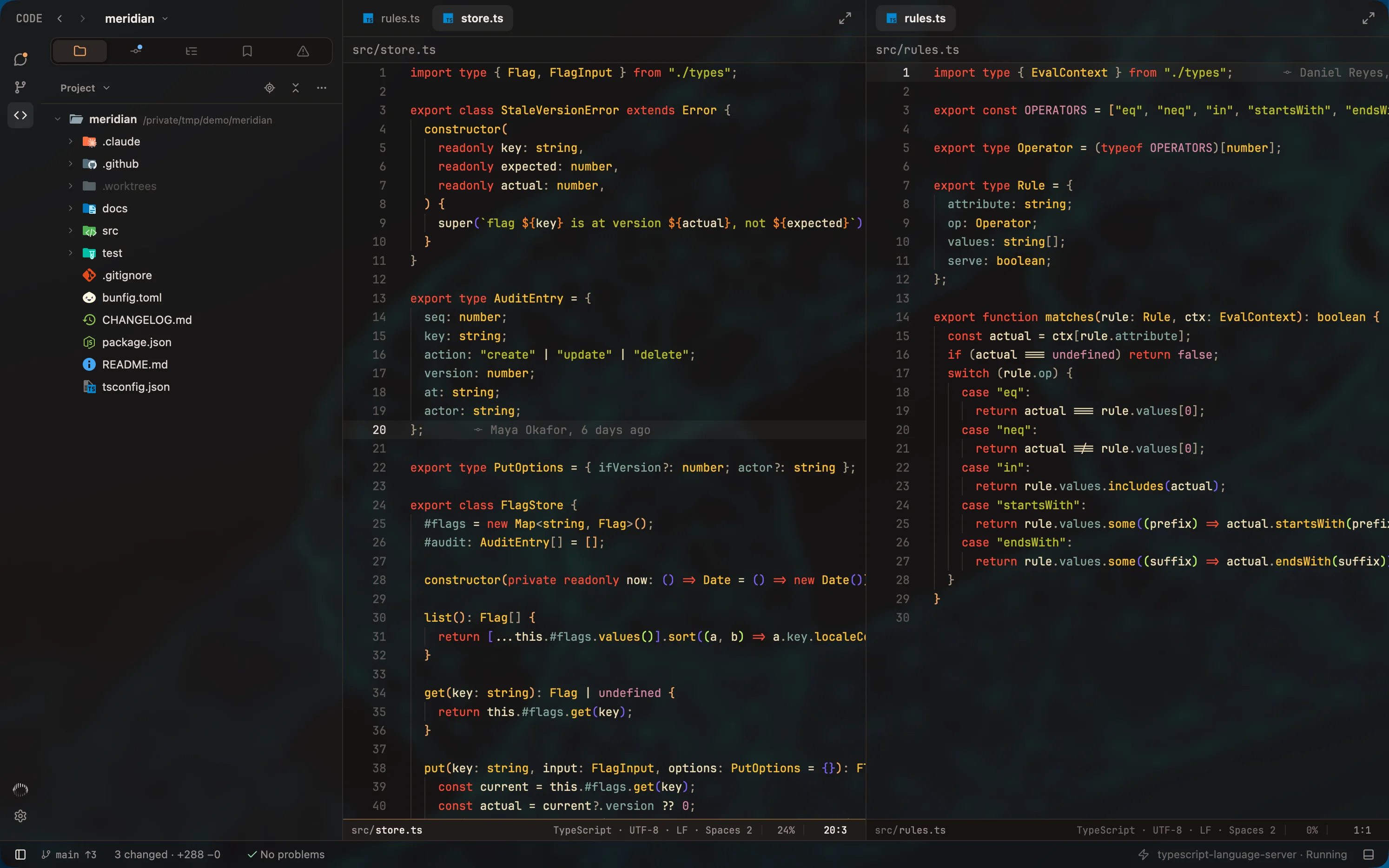
Ember with Gruvbox
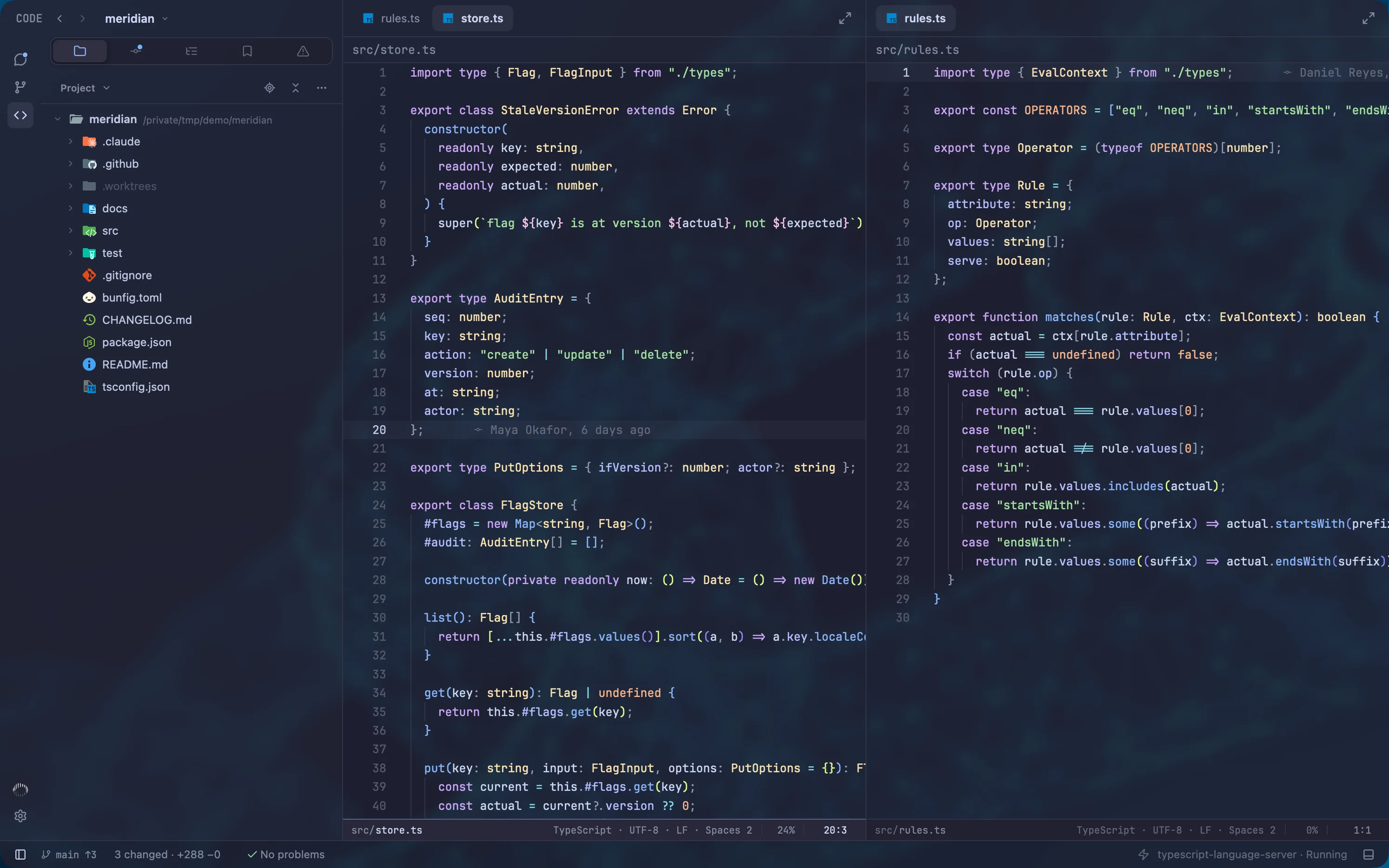
Catppuccin
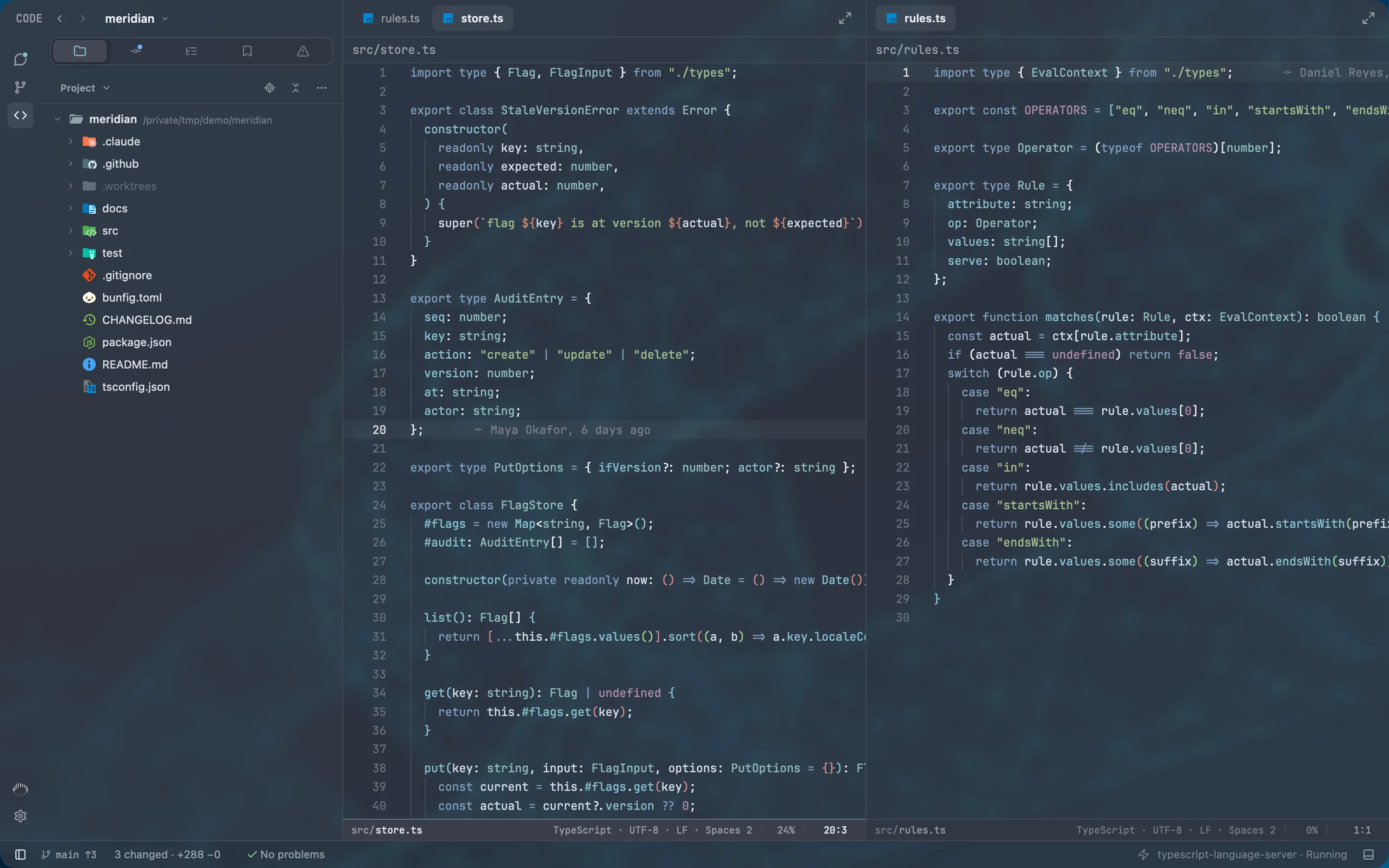
Nord
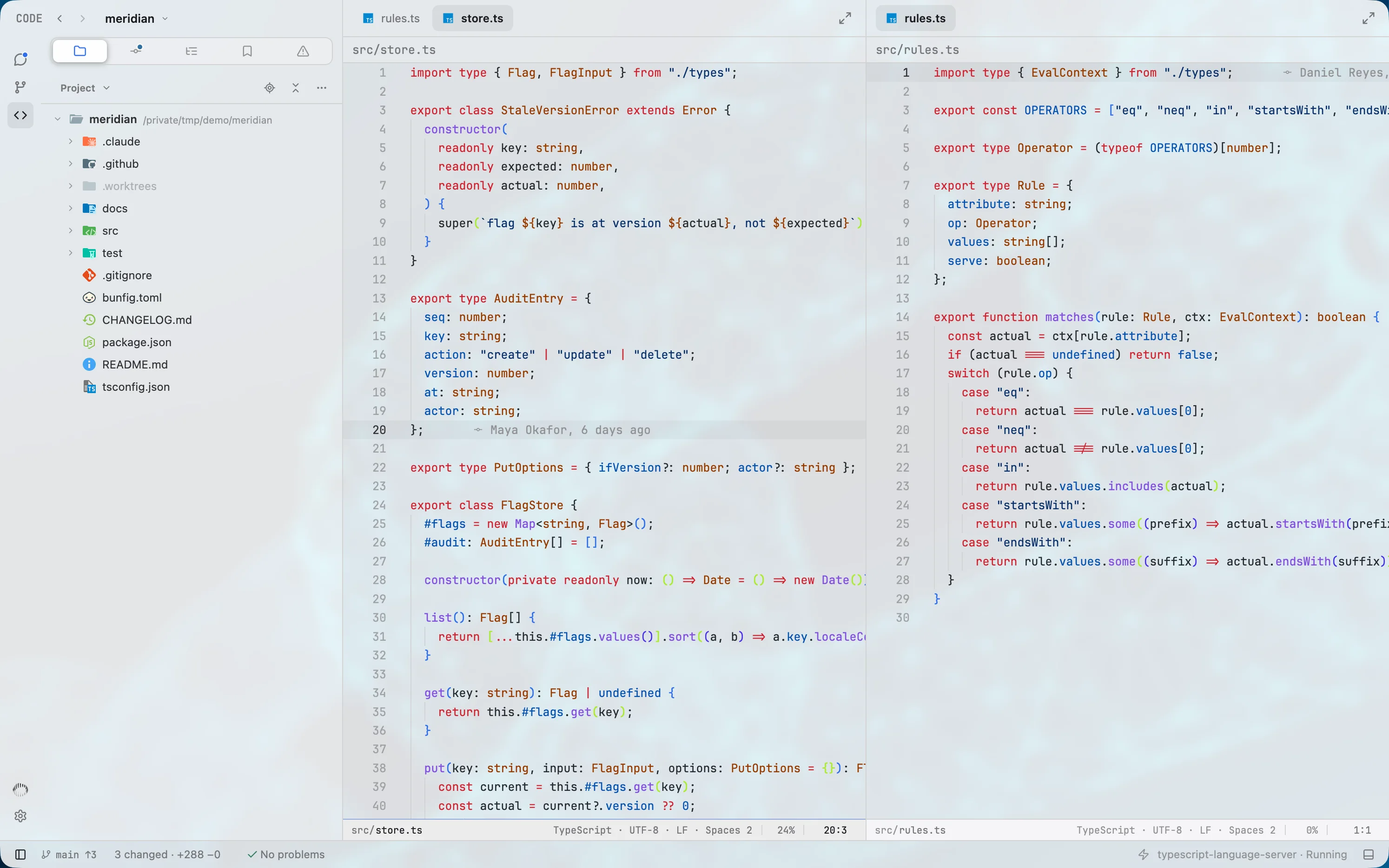
Graphite, light, with GitHub
- App themes
- Eight presets, each dark and light, and an editor for your own.
- Code themes
- Eight built in. Import any VS Code theme.
- Window
- Opacity and blur, for every window or one at a time.
- Type and keys
- Fonts and sizes for the interface, code and the reader. Every shortcut rebindable.
In testing
Mentat for iPhone
Follow a session, send it a message or stop a turn from your phone, over an end-to-end encrypted link to your own computer. It is not available to download yet.
Also in the window
- Terminal
- A built-in panel, one keystroke away
- Command palette
- Actions, projects, files, branches, worktrees and commits
- Cost
- What each chat has cost, and how much context it has left
- Models
- Model, effort and speed from each tool's own catalog
- Goals
- Set a goal and let the agent work toward it
- Keys
- Every shortcut rebindable. Vim mode if you want it
- Built with
- Rust, drawn on the GPU at 120 frames a second on a 120 Hz display. No Electron
The price
Free to run your agents. Pro for the workbench around them.
Every new account starts with 14 days of Pro, with no card. After that Mentat stays free for running and following your agents, and Pro adds the Git client, the editor and what a fleet needs.
Free
$0 for good
- Run and follow Claude Code, Codex and Grok Build
- The agent tree, and exactly what each agent changed
- Mentions for agents, chats and files
- Themes, window opacity and every shortcut
- One login for each tool, on one device
Pro
$12 a month, or $96 a year
- Everything in Free
- The Git client: commit graph, staging by line, interactive rebase, conflicts and worktrees
- The code editor, with language servers and split panes
- Capacity: what every login has left, for all three tools
- Several logins for each tool, switched in Settings
- Notifications and sounds when an agent needs you, fails or stops
- Three devices on one account
- The iPhone app, which is in testing
Coming soon: switch logins automatically when a limit is hit.
Free needs an account, which takes an email and a six-digit code. Your Claude, ChatGPT and Grok plans are separate, and Mentat never bills for them.

For engineers who stay close to the code
Set your agents in motion
Free to use, with no card. Every new account starts with fourteen days of Pro.
macOS 13 or later, Apple silicon. Windows is next. Git 2.45 or later. At least one of Claude Code, Codex or Grok Build, installed and signed in.
Questions
What is Mentat?
Mentat is a native desktop app for running and following AI coding agents. It works with Claude Code, Codex and Grok Build in one window: it shows every session in your projects, the agents those agents start, exactly what each one changed, and it includes a full Git client. It is made for software engineers who want to stay close to the code their agents write.
Is Mentat a harness for Claude Code and Codex?
Mentat is the workspace around the harnesses. Claude Code, Codex and Grok Build each run their own agent loop; Mentat drives all three through their own protocols, so you get one window, one set of controls and one record of what changed, without replacing the tools you already use.
Which coding agents does Mentat work with?
Claude Code, Codex and Grok Build. Mentat talks to each one natively: Claude Code over stream-json, Codex through its app-server, and Grok Build over the Agent Client Protocol. A feature one of them lacks is hidden rather than imitated. Support for Google Antigravity is coming next.
Do I need API keys?
No. Mentat holds no API keys and calls no model itself. It runs each command-line tool under the login that tool already has, so set-up is installing Mentat and signing in to the agents you use.
Does Mentat show sessions I started in a terminal?
Yes. Mentat reads each tool's own session records as they are written, so a Claude Code, Codex or Grok Build session started in any terminal appears live in its project, with its transcript, its sub-agents and the files it touched. You can jump back to that terminal or pick the session up from Mentat.
Can I run several agents at once?
Yes. Start as many sessions as you like across projects and providers. The roster shows which are running and which need you, a chat opens beside the agents it started, and any chat can move to its own window.
Does my code leave my machine?
No Mentat server receives your code, prompts or transcripts, and the app has no analytics or crash reporting. Your agents talk to their own vendors, as they do in a terminal. Mentat itself contacts its accounts server to sign you in, and Git History fetches contributors' avatars from GitHub or Gravatar.
Is Mentat an Electron app?
No. Mentat is a native app, written in Rust and drawn on the GPU at your display's full refresh rate: 120 frames a second on a 120 Hz screen. Its lists are virtualized, so long transcripts and commit graphs with tens of thousands of commits stay responsive.
Is Mentat an IDE?
Mentat is a workspace for coding agents with the parts of an IDE around it: a code editor with language servers, a terminal and a full Git client. It is built around running agents and reviewing their work rather than around typing, which some call an agent IDE or an agentic development environment. It also works well beside the editor you already use.
Is Mentat a code editor?
It has one, with syntax highlighting, language servers and optional Vim keys, plus a terminal panel. The editor is part of Mentat Pro. It also works well beside the editor you already use.
Is Mentat free?
Yes. Mentat Free runs and follows Claude Code, Codex and Grok Build, with the agent tree, what each agent changed, mentions and themes, on one device. It needs an account, which takes an email and a six-digit code, and it stays free. The Git client and the code editor are part of Mentat Pro. Your Claude, ChatGPT and Grok plans are separate, and Mentat never bills for them.
What does Mentat Pro add, and what does it cost?
Mentat Pro is $12 a month, or $96 a year. It adds the Git client; the code editor; Capacity, which shows what every login has left for all three tools; several logins for each tool, switched in Settings; notifications and sounds when an agent needs you, fails or stops; three devices on one account; and the iPhone app, which is in testing. Switching logins automatically when a limit is hit is coming soon and is not in the app yet.
How does the Pro trial work?
Every new account starts with 14 days of Mentat Pro, with no card. When the trial ends the account moves to Mentat Free: nothing is deleted, your agents keep running, what Pro adds is locked, and you can subscribe at any time in Settings under Account.
What do I need to run it?
macOS 13 or later, Apple silicon, Git 2.45 or later, and at least one of Claude Code, Codex or Grok Build installed and signed in. Mentat runs on macOS today, and Windows is next.
Can I import my VS Code theme?
Yes. In Settings, choose Import VS Code theme and pick the theme's .json or .jsonc file. Mentat then uses its colours wherever code is shown. Eight code themes are also built in: Usul Night, One, GitHub, Solarized, Gruvbox, Catppuccin, Nord and Dracula.
Can I mention an agent, another chat or a file in a prompt?
Yes. Type @ in the composer and pick one of the chat's agents, another chat, or a file from the checkout, with a line range if you want one. Mentat tells the agent you are writing to which agent, chat or file you mean. A chat mention points at that chat and its history; it does not send that chat a message. Sub-agents that have only a task description get a short name so you can refer to them, which you can turn off under Settings, Agents, Name sub-agents.
Can I use more than one account for Claude Code, Codex or Grok Build?
Yes. Save a login for each account under Settings, Provider Accounts, and switch between them; your chats carry on. The Capacity meter shows every saved login's limits side by side. A switch applies to the whole tool, not to one chat, and waits until a running turn has finished. Switching automatically when a limit is hit is coming soon and is not in the app yet.
Is Mentat finished?
Mentat is in beta. New builds ship often and some screens are still being refined. It runs on macOS today, Windows is next, and an iPhone app is in testing.
Is there a mobile app?
An iPhone app is in testing and is not available to download yet. It follows a session, sends it a message or stops a turn, over an end-to-end encrypted link to your own computer.
Does Mentat render Markdown and Mermaid diagrams?
Yes. Markdown files open in a reader with an outline, tables, task lists and highlighted code, and you can switch between the rendered document and its diff. A Mermaid block in an agent's reply shows as a chip that opens the drawn diagram in a tab beside the chat.
Is this the open-source Mentat coding assistant?
No. That command-line project, from AbanteAI, was archived in 2025 and is unrelated. This Mentat is a desktop app from Amtal Technologies for the coding agents you already run.